
```

Business email benefits

Simple, transparent pricing

Professional email without the complicated pricing.

Every mailbox includes 5 GiB of storage and is billed monthly. Choose the number of mailboxes you need when you place your order.

What's included

Business email built for your domain.

Give your team professional email addresses using your own domain, hosted on PalmHost infrastructure.

  • 5 GiB mailbox storage per address
  • Professional email on your own domain
  • Monthly billing
  • Add the number of mailboxes your team needs

Business email pricing
R49/ mailbox / month

Each paid mailbox includes 5 GiB of storage. You can choose your required number of mailbox seats during the ordering process.

Need multiple mailboxes?Select the number of seats you need when you order. Your total monthly price is calculated automatically.
Order business email

You can register a new domain, use an existing domain, or transfer a domain during the ordering process.

The essentials for everyday business email.

Every PalmHost business mailbox includes the tools you need to send, receive and manage email using your own domain.

Browser-based webmail

Read and send email securely from your browser without installing a separate email application.

Use your preferred devices

Connect your mailbox to compatible email applications on your computer, phone or tablet using IMAP and SMTP.

5 GiB mailbox storage

Every mailbox includes its own 5 GiB storage allowance for messages and attachments.

Spam filtering

Incoming messages pass through server-side filtering designed to help identify and reduce unwanted email.

Secure mail connections

Encrypted connection options help protect your login details and email traffic while travelling between devices and the mail server.

Practical setup support

We can help you connect your mailbox, understand the required settings and work through common setup problems.

Need help configuring an email application? Chat with the PalmHost team and we will help you get connected.

Keep the same mailbox close at hand.

Use browser-based webmail or connect your PalmHost mailbox to compatible email applications on your computer, phone and tablet. IMAP keeps supported mail folders consistent between connected devices.

One business email mailbox accessed through webmail, a computer, a tablet and a phone

Your mailbox remains on the PalmHost mail server while your connected devices access the same messages through IMAP.

Let every email carry your business name.

An email address using your own domain helps customers connect each message with your business. It keeps your communication consistent with the name they see on your website, invoices and other business material.

accounts@yourbusiness.co.za

Mailbox nameChoose a useful address for a person, role or department.

Your domainUse the same recognisable business name across your email addresses.

Do not have a domain yet?Find and register a domain namebefore setting up your mailboxes.

Personal email example
Thandi M.yourbusiness123@gmail.com

A personal address can work, but the email provider’s domain receives more visual attention than your business name.

Own-domain email example
Thandi’s Businessthandi@yourbusiness.co.za
Own domain

Your business name remains visible whenever you send a message, making your address easier to recognise and remember.

```

More confidence behind every message.

Business email depends on more than the address customers see. Domain authentication, server-side filtering and encrypted connections work together to support safer, more dependable communication.

Domain authentication

Help receiving servers identify your mail.

SPF, DKIM and DMARC records give receiving mail systems information they can use to assess whether a message is authorised to use your domain.

These records support email authentication, but no configuration can guarantee that every message will reach the recipient’s inbox.

Mail filtering

Reduce unwanted incoming email.

Incoming messages pass through server-side checks designed to identify common signs of unwanted or suspicious email.

Filtering can reduce spam, but it cannot block every unwanted message or determine the intention behind every email.

Secure connections

Protect email while it travels.

Secure webmail and encrypted connection options help protect login details and email traffic between supported devices and the PalmHost mail server.

Encryption protects supported connections in transit; it does not replace strong passwords or careful handling of suspicious messages.

Moving your email does not have to feel uncertain.

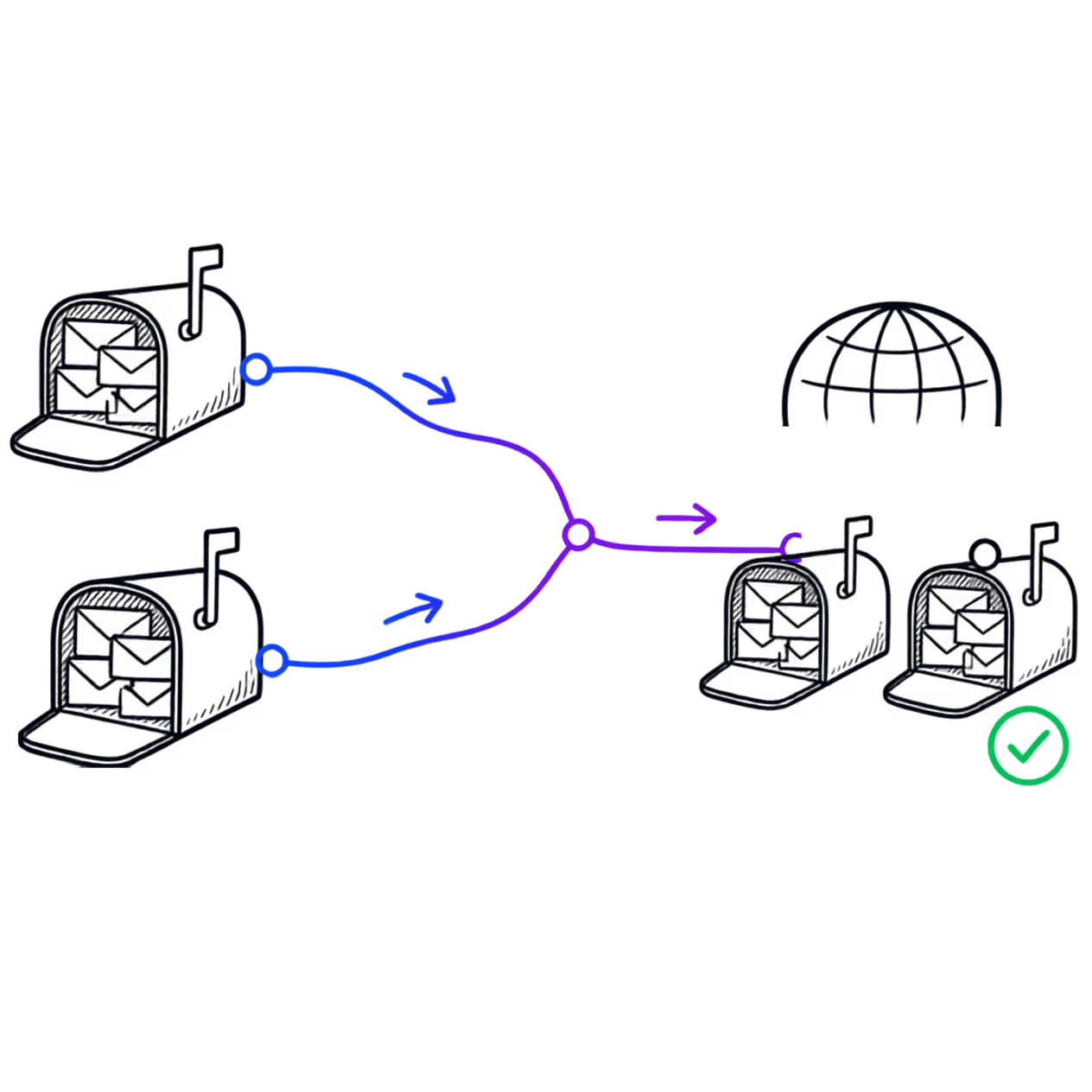
We help you prepare the mailboxes, connect your domain and understand what happens next. If you already use business email, we will first review the existing setup before recommending a migration approach.

Existing mailboxes and their messages moving into a PalmHost business email system
Our setup process

A considered move starts by understanding the email service you use today.

  1. Prepare your mailboxes

    We confirm the addresses you need, create the new mailboxes and check the details of your existing email setup.

  2. Configure your domain

    The required DNS and email records are added or updated so your domain knows where new messages must be delivered.

  3. Connect or migrate

    We help connect your devices and, where the existing provider and access allow it, assist with moving existing messages.

Find the instructions for your device.

Use these shortcuts to find practical setup guidance for common email applications, mobile devices and browser-based webmail.

Browse the full Knowledge Base
How is PalmHost Business Email priced?

Business Email is priced per mailbox. Each mailbox currently costs R49 per month and has its own login, password and storage allowance. If three people need separate mailboxes, you would pay for three mailboxes.

How much storage does each mailbox include?

Each mailbox includes 5 GiB of storage for messages and attachments. Storage is allocated to the individual mailbox rather than shared across the whole domain.

Can I access my email through a web browser?

Yes. You can use PalmHost webmail to read and send email through a supported web browser without installing a separate email application.

Can I use my mailbox on a phone or computer?

Yes. You can connect the mailbox to compatible email applications using the supplied secure IMAP and SMTP settings. This includes many common applications on computers, phones and tablets.

Can PalmHost move my existing email messages?

Migration may be possible when the existing provider supports it and the required mailbox access is available. We first review your current service, mailbox size and access details before confirming what can be moved.

Discuss an email migration
What happens if I need to change a mailbox password?

A mailbox password can be reset when needed. For security, PalmHost will never ask you to send your existing password by ordinary email. Contact us if you need help completing a secure password reset.

Do I need a domain name to use Business Email?

Yes. Business Email uses your domain to create addresses such as accounts@yourbusiness.co.za. You can use a domain you already own or register a new domain through PalmHost.

Register a domain name

Give your business email a more professional home.

Set up the mailboxes your team needs today and add more as your business grows. If you already have business email elsewhere, speak to us before moving so we can review your existing setup.