Start with the website, not the package name
Before comparing packages, look at what you are hosting.
A small brochure-style website with a few pages, compressed images and a contact form does not usually have the same workload as a WordPress website with a blog, several plugins and regular traffic. An online shop adds another layer because visitors may browse products, use search and filters, add items to a cart and complete checkout while the site communicates with payment and other services.
It is therefore more useful to ask questions such as:
- Is the site a simple business website, a WordPress site, or an online shop?
- How much content and media will it contain?
- Will it have one website or several?
- How many business email mailboxes will be hosted with the account, if email is included?
- Are there periods when traffic is likely to increase sharply?
- Will the site remain fairly simple, or will it gain more features over time?
These questions give you a much better starting point than simply asking which package has the most storage.
Understand what hosting package limits actually mean
The numbers shown on a hosting plan are useful, but only when you understand what they represent.
Storage
Storage is the amount of space available for the data associated with your account. This can include website files, databases, email mailboxes, logs, backups or other data, depending on how the host structures its packages.
A typical business website may not need much storage at all. Large image libraries, downloadable files, video files, multiple websites and large mailboxes can change that quickly.
One common mistake is to look only at the amount of storage included. Having plenty of disk space does not automatically mean the website has more processing capacity.
Bandwidth
Bandwidth refers to the amount of data transferred between the server and visitors or other connections over time. Pages, images, downloads and other content all contribute to data transfer.
A website with modest storage requirements can still generate a lot of traffic if many people visit it or if its pages contain large files. Conversely, a site with a large amount of stored data may have relatively little visitor traffic.
That is why storage and bandwidth should be considered separately.
CPU, memory and process limits
The server also has to do work when someone visits your website. A dynamic WordPress page may need PHP to execute code, retrieve information from a database and build the response sent to the visitor.
Hosting providers can limit the amount of CPU time, memory or concurrent processes available to an account. In cPanel environments, some servers expose account-level metrics such as CPU usage, memory usage and entry processes.
These limits vary between hosting environments. When comparing packages, ask for the actual resource limits rather than assuming that a larger storage allowance also means more processing capacity.
Databases and applications
WordPress and many other content-management systems rely on a database. Your hosting environment therefore needs to support the software version, database engine and settings required by the application you want to run.
For example, current WordPress requirements include PHP 8.3 or greater, MariaDB 10.11 or greater or MySQL 8.0 or greater, together with HTTPS.
For WooCommerce, current server recommendations include PHP 8.3 or greater, MySQL 8.0 or greater or MariaDB 10.6 or greater, HTTPS and a WordPress memory limit of at least 256 MB.
The important point is not to memorise these numbers. It is to check that the hosting environment can support the software your website needs today and can keep doing so as that software is updated.
Match the package to the type of website
There is no universal package size that is correct for every small business. A useful way to think about the choice is to match the package to the workload.
| Website type | Typical needs | What to look for |
|---|---|---|
| Simple business website | A few pages, forms, images and basic content | Enough storage, HTTPS, suitable application support and straightforward management |
| Growing WordPress website | More pages, plugins, blog content and regular updates | More headroom for memory, CPU and processes, plus room for growth |
| WooCommerce shop | Product catalogue, cart, checkout, database activity and integrations | Suitable PHP/database support, adequate memory and processing capacity, HTTPS and sensible backup arrangements |
| Several websites | More than one domain or project on the same account | Sufficient combined resources, storage and clear limits on sites, databases and email |
These are starting points rather than hard rules. A small website can become demanding because of inefficient code, heavy plugins or sudden traffic, while a larger site can remain relatively light when it is well optimised and properly configured.
Do not confuse more storage with more performance
This is one of the easiest hosting decisions to get wrong.
Imagine two packages. One gives you substantially more storage but has similar or lower limits on processing resources. The other gives you less storage but more room for CPU, memory or concurrent activity. For a typical WordPress business website, the second package may be more useful if the site is already using significant server resources.
The same applies to media. Storing thousands of old images is primarily a storage problem. A slow database query, a plugin that performs heavy processing or many simultaneous requests is a different type of problem.
When comparing packages, therefore, do not ask only, “How many gigabytes do I get?” Ask, “What happens when my website has to do more work?”
Look beyond the resource numbers
Two hosting packages can have similar storage and traffic limits but still provide very different day-to-day experiences.
Check what the package includes and, just as importantly, what is left to you to manage.
SSL and HTTPS
Your hosting environment should support HTTPS. This is a basic requirement for modern WordPress hosting and is also important for sites where visitors submit information or complete transactions.
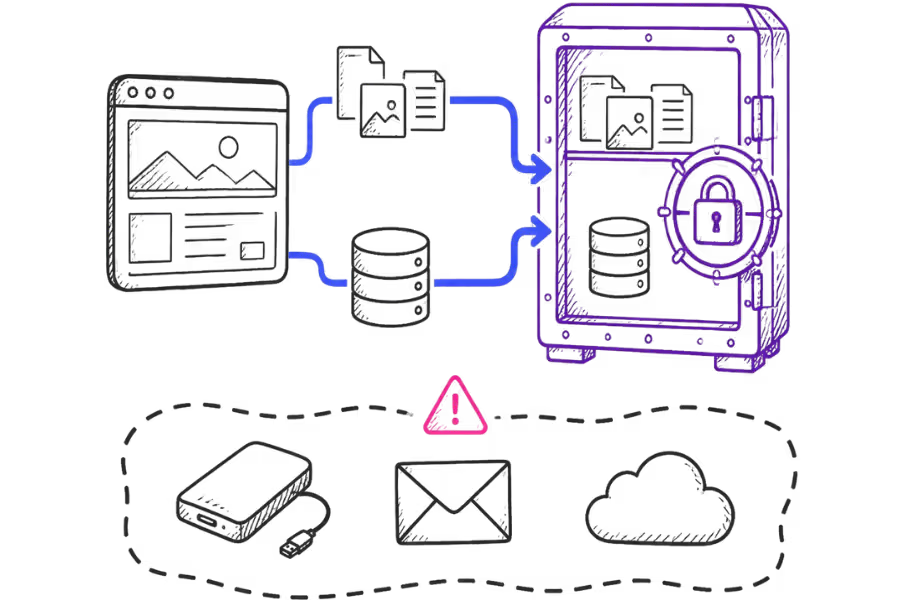
Backups
Find out what is backed up, how often it happens, how long backups are retained and how restoration works. Do not assume that a statement such as “daily backups” tells you everything you need to know.
A website backup may cover specific website files and databases without covering every other part of your business's digital environment. The actual backup scope depends on the hosting provider and configuration.
Control panel and management tools
Consider how easy it is to create email accounts, databases, redirects, SSL certificates and other common hosting tasks. A package can be technically suitable but still be frustrating to manage if the tools are difficult to use.
Support
For a small business, support can matter as much as a specification sheet. Check what the host actually supports, how support is provided and whether migration or application troubleshooting is included or treated as a separate service.
Upgrade path
A sensible hosting package should not force you to predict your website's needs years in advance. It is useful to know what the next package looks like, what changes when you upgrade and whether the move is straightforward.
Think about future growth without paying for everything now
It makes sense to allow for growth, but there is a difference between planning for growth and paying for resources you may never use.
A new business website does not need to be sized for a hypothetical future audience of hundreds of thousands of visitors. At the same time, it can be frustrating to choose the smallest possible package when you already know the website will soon add a shop, a large media library or several additional sites.
A practical approach is to leave some headroom and review the package when the website changes.
For example, a business might start with one WordPress website, then add a blog, more images and an online booking system. Later it might add a shop. Each change can affect storage, database activity, processing requirements or email usage. The package should evolve with the website rather than being treated as a permanent decision made on day one.
When is it time to move to a larger package?
An upgrade is worth investigating when the current hosting environment is becoming a recurring constraint rather than because a larger number simply looks better. If you are moving the site to a different host as part of that change, seeMoving WordPress Without Downtimefor the migration considerations.
Useful signals include consistently high resource usage, storage repeatedly approaching its limit, application errors during busy periods, or a website that performs acceptably under light activity but struggles when several users are active at once.
The important word is consistently. A single spike does not necessarily mean you need a larger package. A recurring pattern is more useful evidence.
It is also worth remembering that not every performance problem is solved by upgrading hosting. Poorly optimised images, a problematic plugin, inefficient code, an overloaded database or third-party services can all contribute to a slow website.
Search performance and page experience also depend on factors beyond hosting. Good hosting is one part of the overall picture rather than a guarantee of strong search rankings or website performance.
A simple checklist before you choose
- What type of website am I hosting now?
- How much storage am I actually using?
- How much storage will business email use if it is included on the same account?
- What CPU, memory or process limits apply?
- Does the server support the current requirements of my software?
- What backup service is included, and what exactly does it cover?
- Is HTTPS supported and properly managed?
- How many websites, databases and mailboxes are allowed?
- What happens if the website grows?
- What support is included, and what is billed separately?
- What does the next hosting package provide if I need more resources?
The right package is the one that fits the job
Choosing web hosting does not have to mean finding the biggest package available. For a small business, the more useful decision is to match the package to the website's actual workload, software and expected growth.
Start with what the website does. Then look at storage, bandwidth, CPU, memory, database support and the other limits that can affect the way it runs. Finally, look at the practical side of hosting: backups, HTTPS, management tools, support and the path to upgrade later.
That gives you a much clearer basis for choosing a hosting package than simply comparing the largest numbers on a price table.